Toy Story
Toy Story
| Game Info arrow_drop_down favorite | |
|---|---|
| Category | PC / Computer |
| Assets | 54 |
| Hits | 21,170 |
| Comments | 11 |
| Tags (12): arrow_right | |
arrow_drop_down
[2]
Playable Characters

arrow_drop_down
[10]
Non-Playable Characters
Alien
folder_zip
Buzz Lightyear
folder_zip

Green Army Men
folder_zip
Hamm
folder_zip

Mr. Potato Head
folder_zip

RC Car
folder_zip

Rex
folder_zip
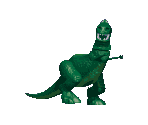
Robot
folder_zip
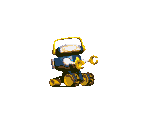
Rocky Gibraltar
folder_zip
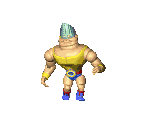
Roller Bob
folder_zip

arrow_drop_down
[16]
Enemies & Bosses
Babyface
folder_zip

The Claw!
folder_zip

Helicopter
folder_zip

Legs
folder_zip

Nightmare Buzz
folder_zip
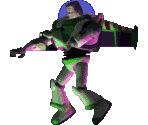
Plane
folder_zip
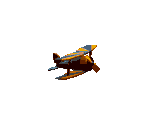
Rockmobile
folder_zip
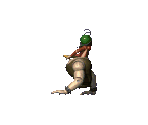
Roly Poly Clown
folder_zip

Scorpion
folder_zip
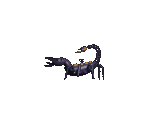
Scud
folder_zip

Shark
folder_zip

Sid
folder_zip

Snake
folder_zip

Spider
folder_zip
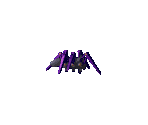
Train
folder_zip
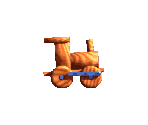
Yo-Yo
folder_zip

arrow_drop_down
[17]
Stages
Battle of the Mutant Toys
folder_zip
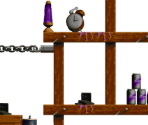
Buzz Battle
folder_zip

A Buzz Clip
folder_zip

The Claw!
folder_zip
Day-Toy-Na
folder_zip

Ego Check
folder_zip
Food & Drink
folder_zip
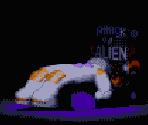
Inside the Claw Machine
folder_zip

Light My Fire
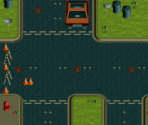
Nightmare Buzz
folder_zip

Red Alert
folder_zip
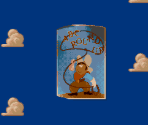
Revenge of the Toys
folder_zip
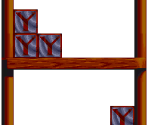
Rocket Man
folder_zip

Roller Bob
folder_zip
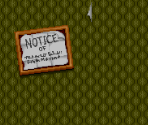
Run Rex, Run!
folder_zip

Sid's Workbench
folder_zip
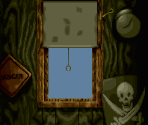
That Old Army Game
folder_zip

arrow_drop_down
[9]
Miscellaneous









Comments (11)
You must be logged in to post comments.

How did you do that?
Ripped them myself. Pretty easy to do, if u ask me.
WHAT THE HELL, WHERE DID SO MANY SPRITES COME FROM?

A lot of Toy Story at the minute. We just had Game Boy rips and now PC rips! (I mean it as a good thing)

Also I think I found some unused sprites? I have not seen them in the other builds of the game and they are also not called by the game, so that's fun.
Also for people wondering, PC sprites has more colors (different highlights and some details too), some differences here and there too, and some unique sprites too I'm pretty sure.
Also for people wondering, PC sprites has more colors (different highlights and some details too), some differences here and there too, and some unique sprites too I'm pretty sure.
Took me a bit to reverse engineer the way the sprites are rendered into the game, alongside their file formats but worth it. I will be uploading more sprites soon, hopefully. :3
Some sprites have some interesting differences in comparison to the other versions of the game (such as having more colors albeit also sometimes lacking highlights or... having unique highlights? I think some sprites also have less frames).
Some sprites have some interesting differences in comparison to the other versions of the game (such as having more colors albeit also sometimes lacking highlights or... having unique highlights? I think some sprites also have less frames).

How the heck do you rip cd rom games I’m wondering.

ain't it just the same as the snes one

HA, MISSED

i never played this version
From there, I had to inspect the file at a binary level and figure out how its contents were structured. I looked for things such as repeated patterns, offsets, file sizes, internal tables, palette data, and blocks that could potentially contain graphics. A lot of older PC games stored assets in their own proprietary formats, so even after extracting a chunk of data, it didn’t necessarily mean I immediately had a usable image. Some of the graphics were stored as indexed pixel data, tiles, sprite frames, or other raw image data that depended on a separate palette or needed to be reconstructed before they looked correct.
I also used the game executable as a reference, since the executable itself contains the code responsible for reading those files and interpreting the data. By comparing how the game accessed the resource files with the structure I was seeing in SHELL, I was able to get a better idea of how the graphics were stored and how they were supposed to be decoded. In some cases, the raw data by itself would just look like garbage or corrupted pixels unless the correct dimensions, palette, and format were applied.
Once I had the graphics decoded correctly, I converted them into normal PNG files and started separating and organizing them into more useful categories, such as characters, enemies, objects, backgrounds, stages, HUD elements, screens, and other miscellaneous graphics. Some things also required manually identifying what the extracted data actually belonged to, since the original resource files didn’t always have useful filenames or labels.
So basically, it wasn’t a simple case of opening the ISO and copying image files out of it. It was more of a reverse-engineering process: inspect the game files, identify the resource container, work out the internal structure, extract the relevant data blocks, figure out the image format and palettes, reconstruct the graphics, and then convert and organize everything into usable PNGs.