Player (Base, Old Version)
(Current scale is below 100% - zoom in to view full detail)
| Asset Info favorite | |
|---|---|
| Name | Player (Base, Old Version) |
| Category | PC / Computer |
| Game | Among Us |
| Section | Playable Characters |
| Submitted | September 14, 2020 |
| Uploaded By | imJJ |
| Contributors | collinsisyou, JordanTRS |
| Size |
2.04 MB (521 items) arrow_right
|
| Format |
ZIP (application/zip) png, txt |
| Hits | 70,353 |
| Tags (1): | |
Animations (6)
Climb
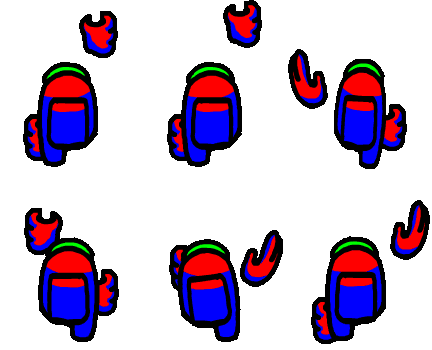
Dead

Walk

Walk (Blue)

Walk (Green)

Walk (Red)

Comments (32)
You must be logged in to post comments.

hahaha i love this little fella

thx for the sprites, ill use this for my gamemaker 8.1 port (:

How to replace gifs?

Thanks for adding the new stuff, Colin.

i will make a version with no visor

A colored sprite sheet would be inaccurate and denied instantly

Looking at the images, this is very impossible as there are multiple pixels of the varying color.
Guess i'll have a go at making a colored sprite sheet.

idk how to make a code that does that
D:
D:

im going to submit the killing dash
if the game recolours it... does it use scripts or does it use the editor?
Blood splatter has been added.

they made the custom ones here: https://www.spriters-resource.com/custom_edited/amonguscustoms/sheet/141122/

Each color channel is assigned to a different hex color in the code. Extract each channel as a separate layer with the Additive blendtype, except for the Alpha channel, which needs to be made so that it's effectively a silhouette, then set the colors appropriately according to a wiki. https://among-us.fandom.com/wiki/Category:Colors this has hex colors for everything, except for the visor, which appears to use 95C9DC.

you can find the hex codes for the colors by going to the among us wiki and looking in the category 'colors', but I don't know any specific way to color the exact sprites. The closest I can get to coloring them is tracing them over in an editing software with the colors from the wiki.
sus

Oh... D:

For everyone asking, I don't know how to recolor these. This is exactly how it looks in the game files, so the game itself does the recoloring, not the sprites.

Is there any pallet layouts for this sheet?
| keyboard_double_arrow_left keyboard_arrow_left | Page 1 of 2 | keyboard_arrow_right keyboard_double_arrow_right |
edit nevermind this IS as hard as it seems